Google Business Data in Analytics for HVAC
Google Analytics, Google Business Profile, Local SEO, HVAC Marketing
Google Just Put Your Google Business Profile Data Inside Analytics: What That Means for a Spartanburg HVAC Shop
Google quietly rolled out a new update that pulls your Google Business Profile data directly into Google Analytics. For a small HVAC business in Spartanburg, this is the first time you can clearly see, in one place, how many calls and direction requests your listing is actually generating—without touching a single tracking code.
Why This Matters to a Spartanburg HVAC Owner
We watch Google updates for local businesses every week, and most of them are small tweaks. This one is different. It finally connects two things that have always lived in separate boxes: your Google Business Profile listing (the one that shows up in Maps and local search) and your website analytics.
If you run an HVAC company in Spartanburg, a lot of your customers never touch your website before they call. They search “AC repair Spartanburg,” tap your phone number right from the Google listing, or hit “Directions” and drive straight to you. Until now, those actions were mostly invisible in Google Analytics. You could see website traffic, but not those direct listing interactions in the same dashboard.
With this new integration, Google pulls key numbers from your Business Profile into Analytics automatically. No extra software, no custom tracking, no codes pasted on your site. Just a clearer picture of how your listing is pulling its weight.
The Seven Metrics You’ll See from Your Google Business Profile
Inside Google Analytics 4 (GA4), Google has added a dedicated section for Google Business Profile data.¹ It shows seven metrics. Not all of them will apply to an HVAC company, but they all appear in the report:
Interactions – A total count of actions taken on your listing. Think of it as the overall “how many people did something” number.
Website clicks – How many people clicked from your listing over to your HVAC website.
Calls – How many times someone tapped the phone icon to call you from your Google listing. For most HVAC owners, this is the headline number.
Directions – How many people asked Google Maps for directions to your shop or office.
Messages – If you have messaging turned on in Google Business Profile, this counts how many people started a chat with you there.
Bookings – For businesses that use online booking through their profile, this tracks how many bookings started on the listing.
Menus – A leftover from restaurant-style listings. You’ll probably see this metric even though HVAC businesses do not use menus; it will just sit at zero and can be ignored.²
For a single-location HVAC shop, this is essentially a simple scorecard: how many people called, how many asked for directions, and how many clicked to your website—all lined up next to your regular website traffic and conversions.
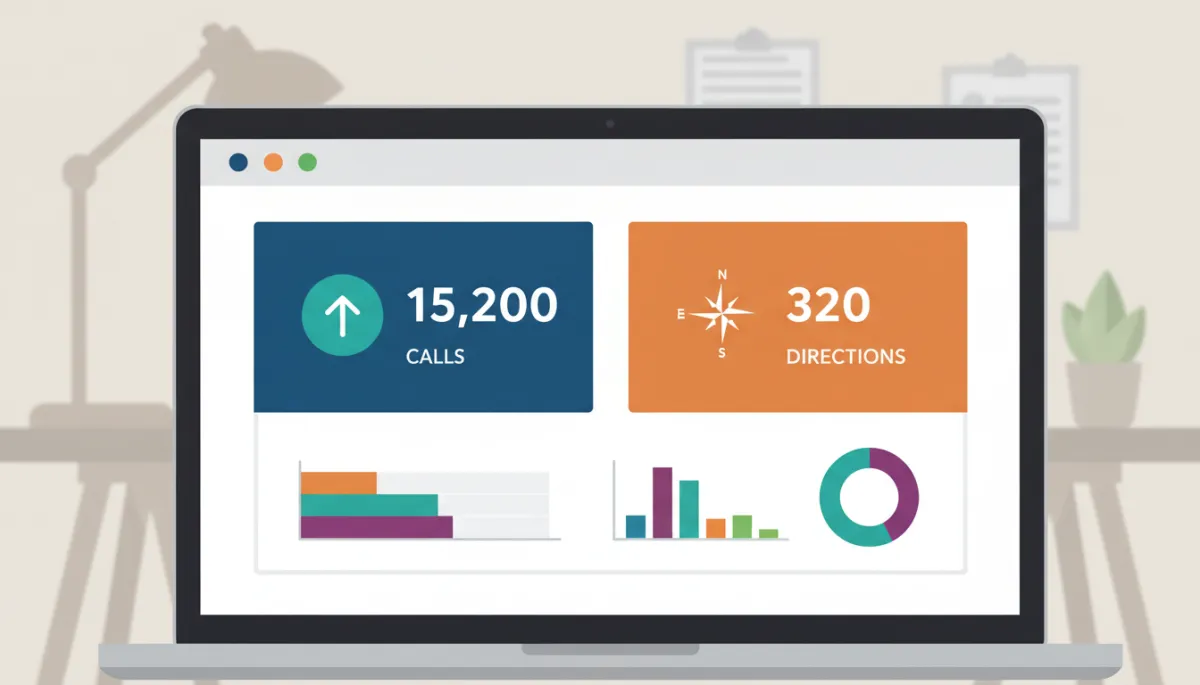
Seeing calls and direction requests beside website visits clarifies how hard your listing works.
How to Turn It On in Google Analytics (No Codes Required)
The setup lives entirely inside Google Analytics 4. If you already have GA4 running for your website, here is where to look. You do not need a developer, and you do not have to paste any new tracking codes on your site.³
Log in to your Google Analytics account and open your GA4 property for your HVAC website.
In the bottom-left corner, click the little gear icon labeled Admin.
In the middle column (the Property column), find and click Product Links.
Look for Google Business Profile in that list. If you see it, click it and follow the prompts to connect your profile.
Choose the business profile that matches your Spartanburg HVAC listing, agree to the data-sharing terms, and confirm.
After that, Google starts sending your listing data into Analytics. There is nothing else to install. Over the next days and weeks, those seven metrics begin to populate in the new Google Business Profile section of your reports.⁴
💡 Note: You will need to be an owner or manager on your Google Business Profile and have Editor or Administrator access in Analytics to complete the link.
The Honest Limitations (So You Know What You’re Looking At)
Like most new Google features, this one is useful but not perfect. For local businesses, there are three main limitations to be aware of:⁵
It is still rolling out. Not every Analytics account shows the Google Business Profile option yet. If you do not see it under Product Links, it likely has not reached your property. In that case, the only move is to check back every week or so; there is no switch we can flip from the outside.
Data only goes back six months. GA4 keeps about six months of Business Profile data, even if you ask for a longer date range. You will not be able to see how many calls you got from your listing last year inside Analytics. For longer-term trends, you would still need exports or separate tools.
No per-location breakdown. If you run one HVAC location in Spartanburg, this is straightforward. If you also have a second office in another town, and you connect both profiles, Analytics will combine their data. There is no built-in way to filter the report to “just Spartanburg” or “just Greenville” at this stage.
There are also some quieter limitations in the background: the data cannot be used in GA4’s deeper tools like Explorations or fancy filters. It is meant as a simple, top-level view, not a full-blown reporting system.
A Free, Simple Way to Finally See Your Listing’s Call Volume
For all its quirks, this update does one thing very well: it gives a small business owner a clear, no-cost way to see how many calls and direction requests are coming straight from Google Search and Maps. No phone tracking service, no spreadsheets, no guessing.
From our vantage point, watching dozens of local businesses, this is where it becomes practical. You can open Analytics at the end of the month and compare:
Website traffic and quote form submissions from your site, next to
Calls and directions that happened directly on your Google listing.
If the phone has felt busy but website leads look flat, this view often explains why: Google is sending you work through your listing before anyone even hits your homepage. Now you can see that in black and white, inside the same tool you already use for your website.
Our role, as an agency that tracks these changes, is simply to point out when something like this becomes available and what it realistically does for you. This integration will not run your marketing or fix slow seasons. But it will answer a question most Spartanburg HVAC owners have asked at some point: “Is my Google listing actually making the phone ring?”
When the feature reaches your account and you link it, the answer is finally visible right there in your Analytics dashboard, without any extra technical setup on your part.
Sources: 1. Search Engine Journal June 2026, 2. Split Media, 3. TryVizup, 4. DGtalents, 5. Google Analytics Help (June 2026)


